🎯 By the end of this lesson you can…
- Explain what programming really is
- Describe why computers need unambiguous instructions
- Spot vague instructions and make them precise
- Understand why LearnWith teaches thinking before syntax
Programming is giving instructions
If a program is a recipe, then programming is writing the recipe. A programmer decides which steps are needed, puts them in the right order, and writes them so clearly that a machine can follow them without asking a single question.
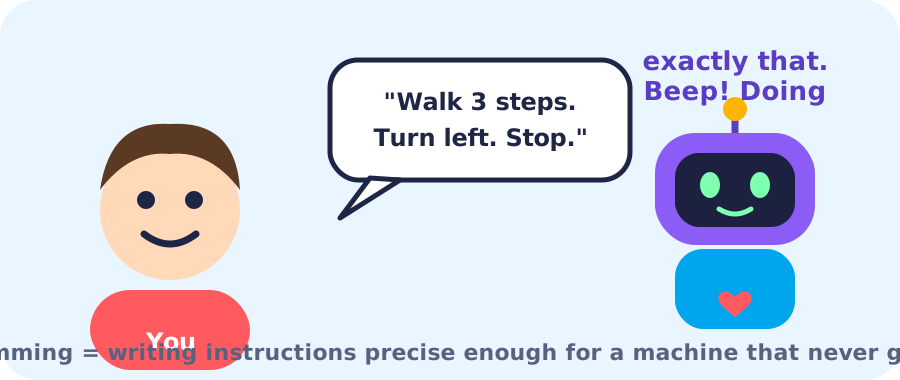
Designing a set of precise instructions that solve a problem, so a computer can carry them out.
🍎 Writing directions for a friend who will follow them word for word, even if they’re silly.
The very literal robot game
Imagine asking a robot to “make a sandwich”. A person would understand. A robot wouldn’t! It needs to know: which bread? How many slices? Where is the knife? Spread what, on which side?
Vague → precise
- 1Make a sandwichtoo vague!
- 2Take 2 slices of breadhow many
- 3Spread butter on one side of each slicewhat, where
- 4Put cheese between the sliceswhat’s next
- 5Cut in halfdone
Thinking first, typing later
Most beginners think programming is about memorising strange symbols like { } ; ( ). That’s just the spelling — we call it syntax. The real skill is the thinking: breaking a problem into clear steps.
Here’s a tiny example of precise thinking. The problem: greet someone by name. Tap each line to see how precise it is, then run it (type a name in the Inputs box).
1BEGIN2 TAKE NAME3 DISPLAY "Hello,", NAME4ENDA friend wants a program that tells them if they have enough money to buy a toy.
How much money they have, and the toy’s price.
Compare the two amounts.
Is the money at least the price?
“You can buy it!” or “Keep saving!”
1BEGIN2 TAKE MONEY, PRICE3 IF MONEY >= PRICE THEN4 DISPLAY "You can buy it!"5 ELSE6 DISPLAY "Keep saving!"7 END IF8ENDCheck your understanding
📌 Key takeaways
- Programming is designing precise instructions to solve problems.
- A computer never guesses — vague instructions lead to wrong results.
- Good instructions are clear, complete, in order and unambiguous.
- Syntax (spelling) is the easy part; logical thinking is the real skill.
Finished reading & practising?
Saved in this browser. Create a free account to keep it forever.